小猪经验网
首页
美食营养
生活百科
知识问答
生活知识
返回
小猪经验网
首页
美食营养
游戏数码
手工爱好
生活知识
生活百科
健康养生
运动户外
职场理财
情感交际
母婴教育
时尚美容
知识问答
更多知识
搜索
如何打开Keep收到赞提醒功能
2026-05-22 11:58:28
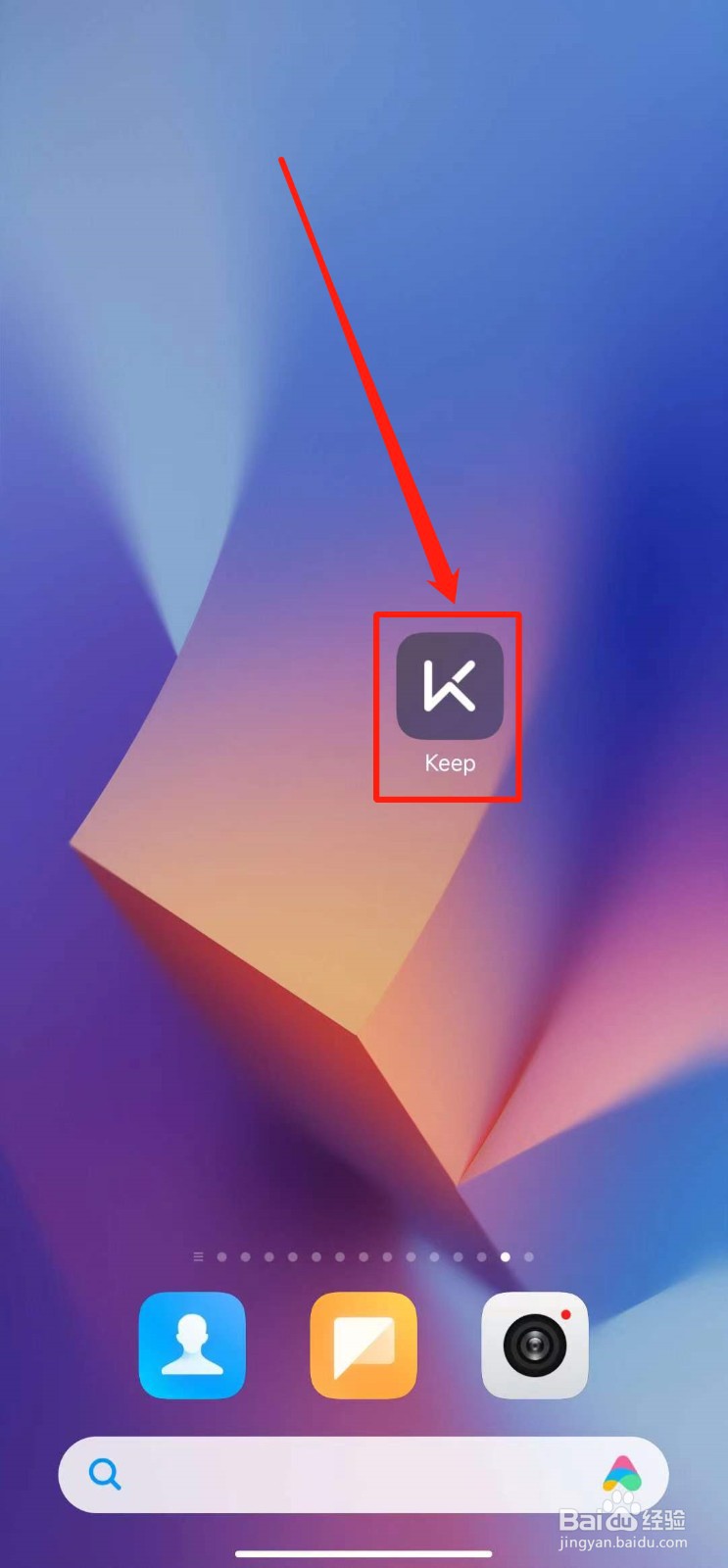
1、打开Keep软件。
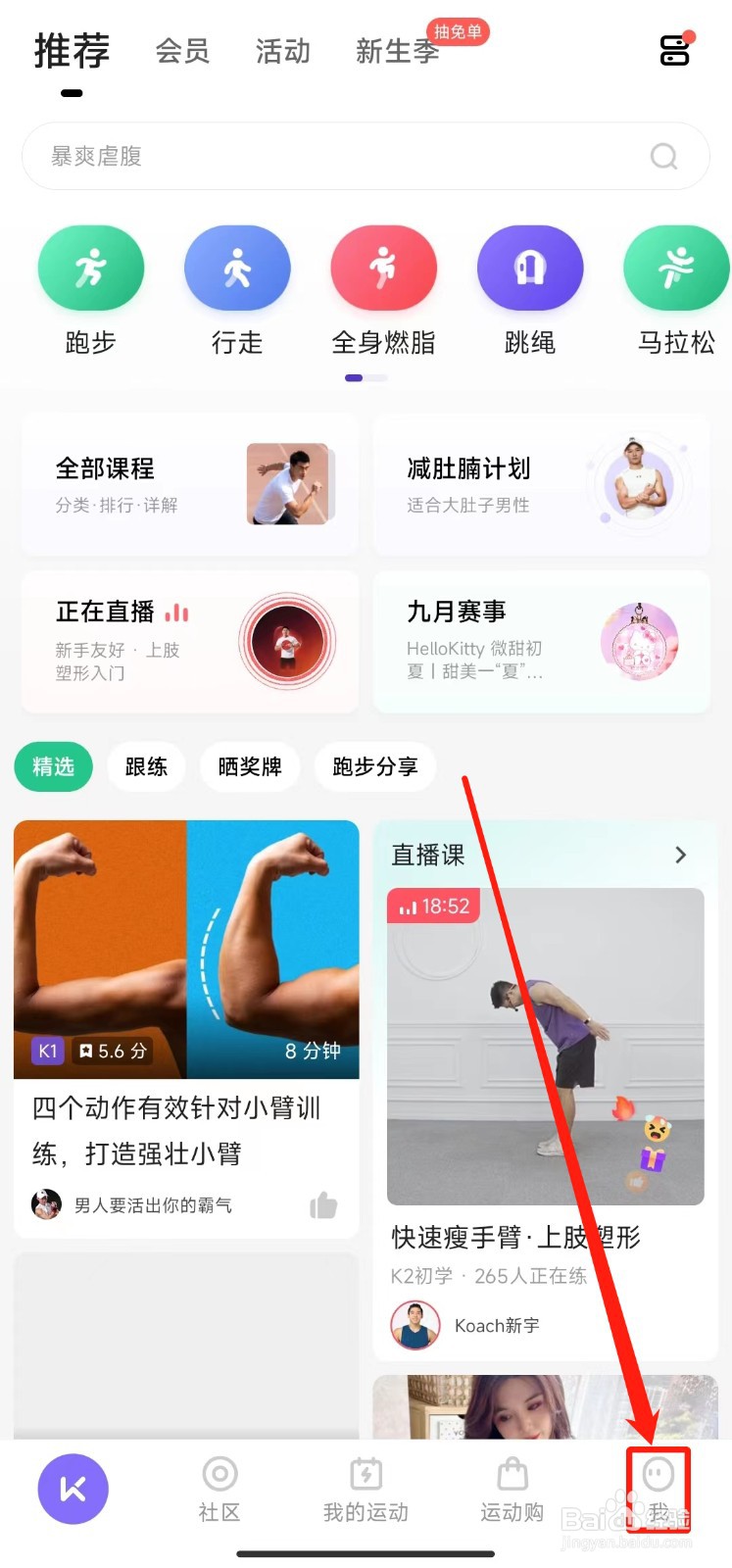
2、点击“我”。
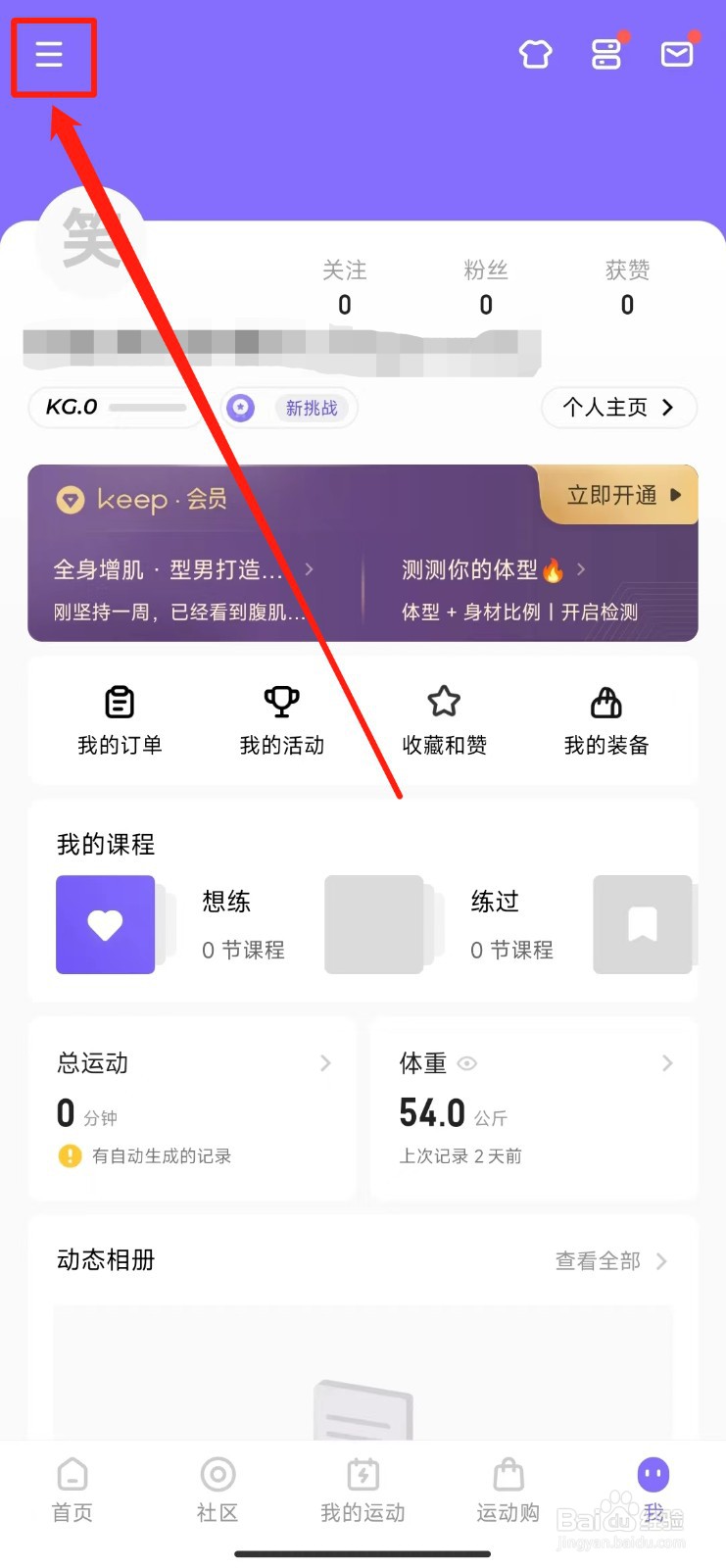
3、点击三条横杠。
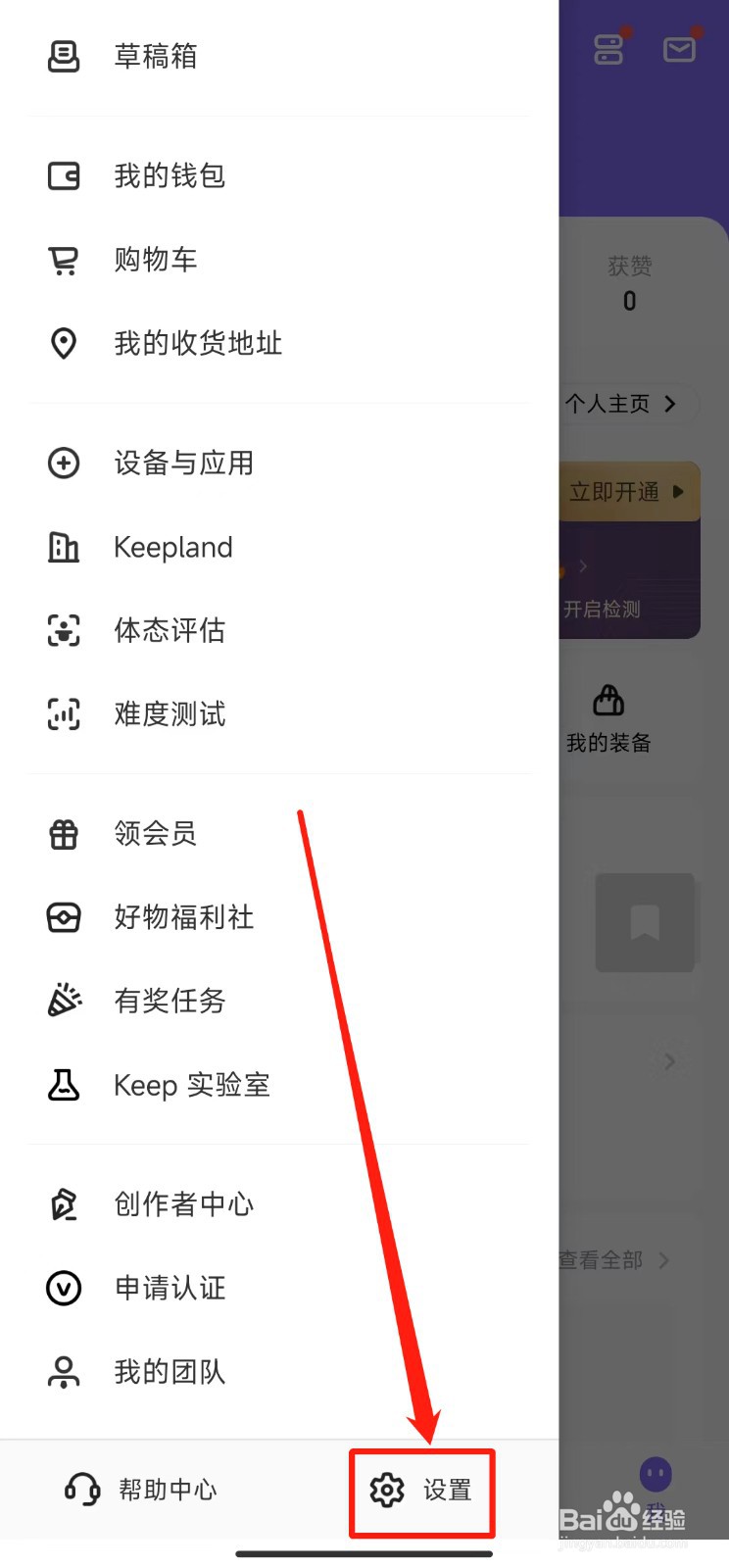
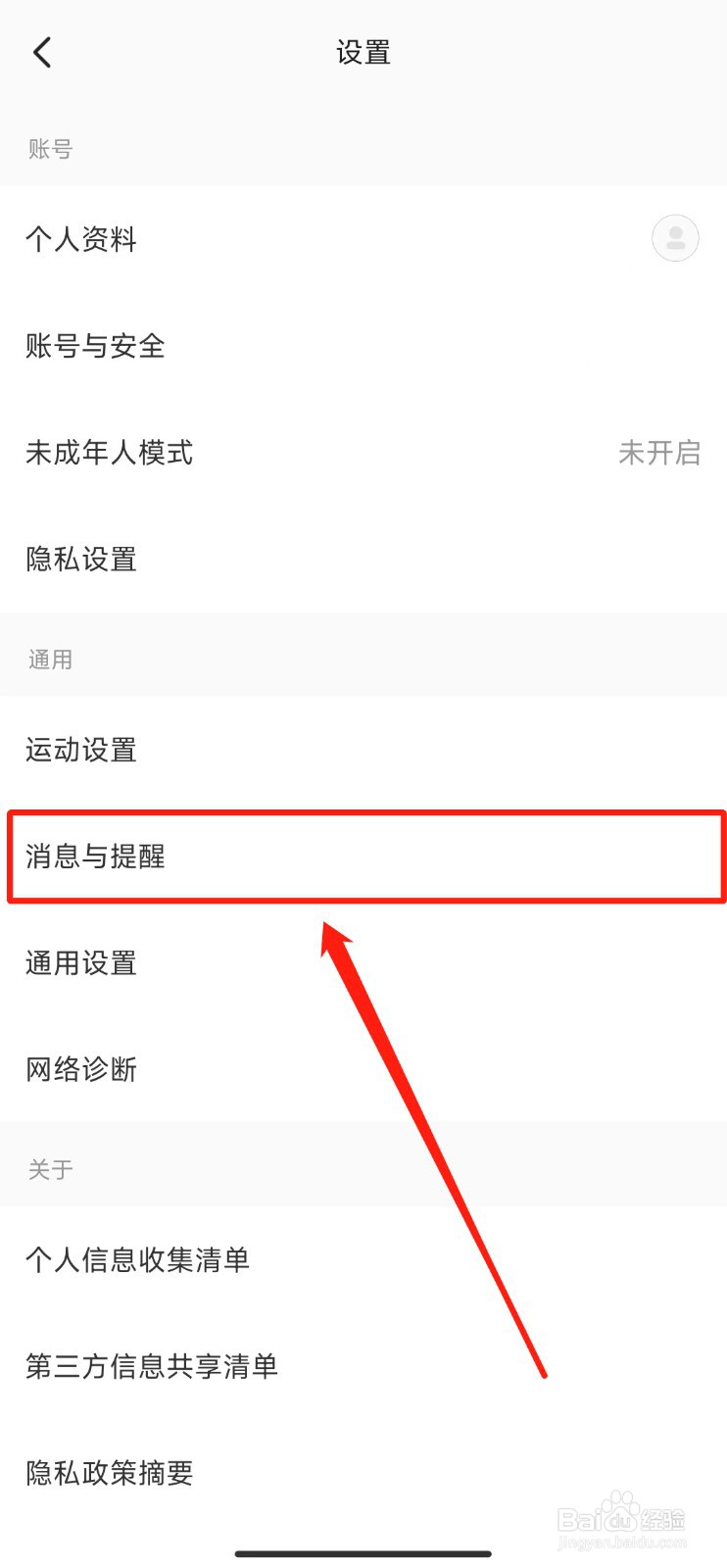
4、点击“设置”。
5、点击“消息与提醒”。
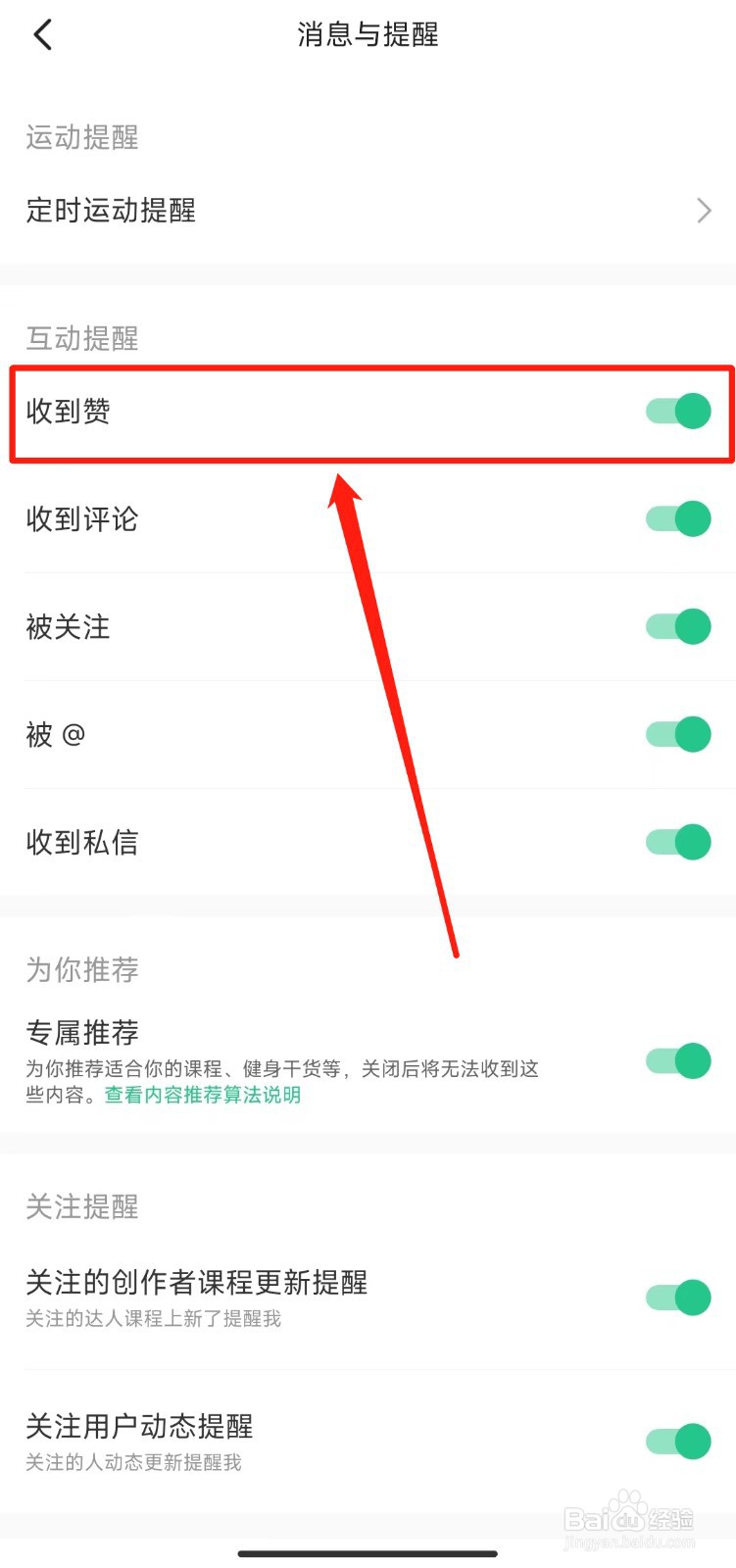
6、打开“收到赞”后的滑动开关。
相关推荐
Keep如何关闭收到评论提醒?
阅读量:76
Keep怎么关闭收到赞提醒
阅读量:160
keep如何打开训练日历提醒?
阅读量:30
Keep如何打开训练日历提醒功能
阅读量:187
keep该怎样设收到赞置功能
阅读量:161
猜你喜欢
人参果怎么吃
鸡扒的做法
鱼肉的做法
冬瓜的做法大全家常菜
新疆大盘鸡的正宗做法
窝窝头的做法视频
黑头鱼的做法
鹅肝做法
沙拉的做法
苹果6怎么截图
猜你喜欢
虾爬子的做法
苹果手机怎么截屏
腐竹怎么泡最快
糖醋带鱼的做法
苹果手机没有声音怎么回事
豆干的做法
金桔冰糖止咳的做法
脖子上长了小肉粒怎么回事
工作总结怎么写
红烧黄花鱼的做法