MyEclipse怎么添加tomcat
1、进到MyEclipse应用窗口,如图
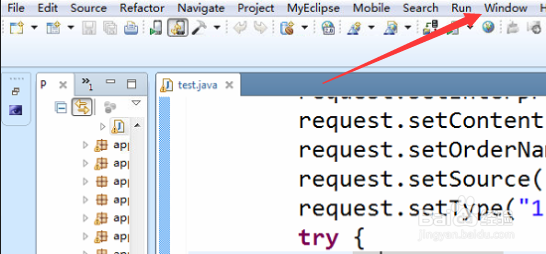
2、点下window,进到window列表窗口,如图
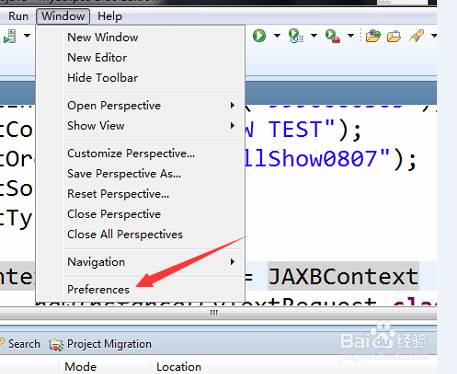
3、点下Preference,进到Preference窗口,如图
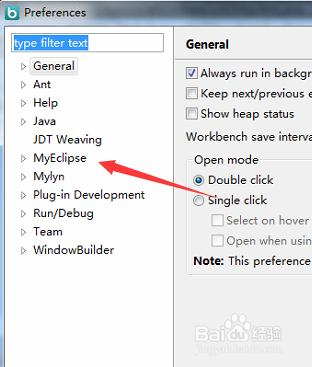
4、点开MyEclipse找到Servers,如图
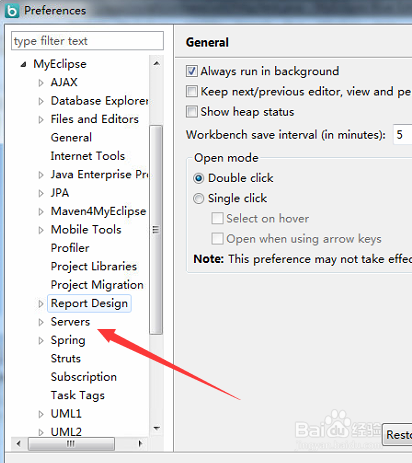
5、点开Servers找到tomcat,如图
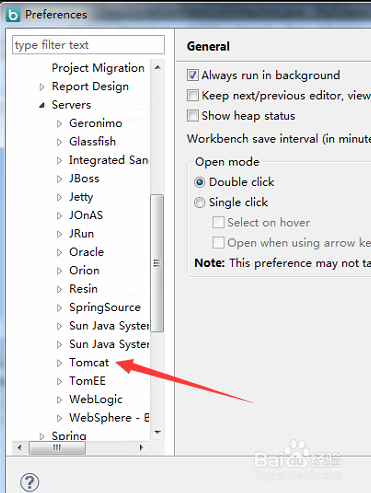
6、点开tomcat选择要配置的tomcat运行版本,如图
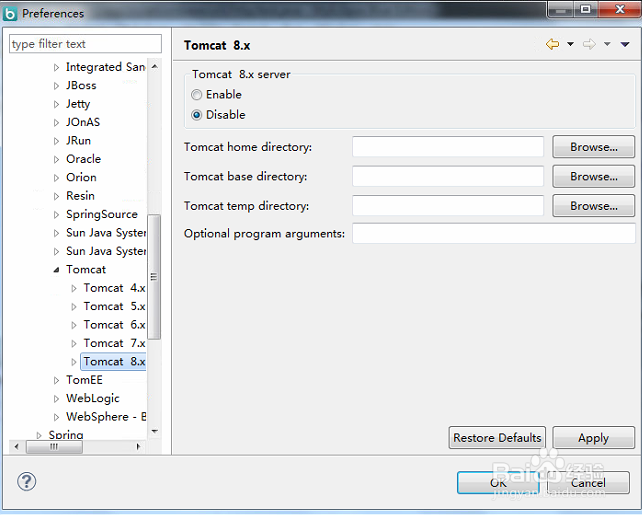
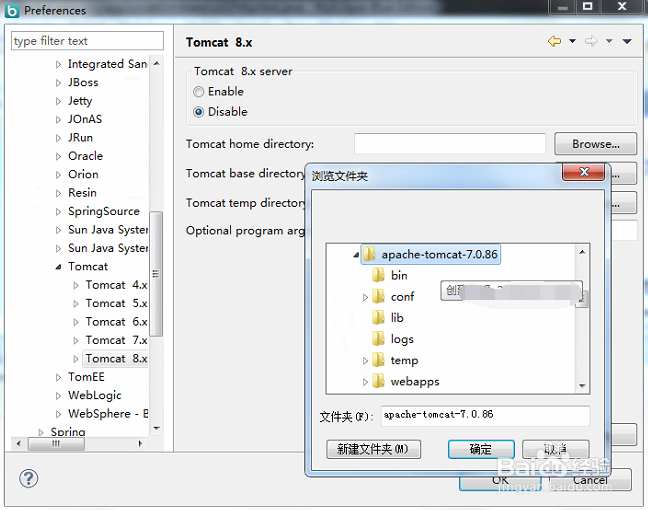
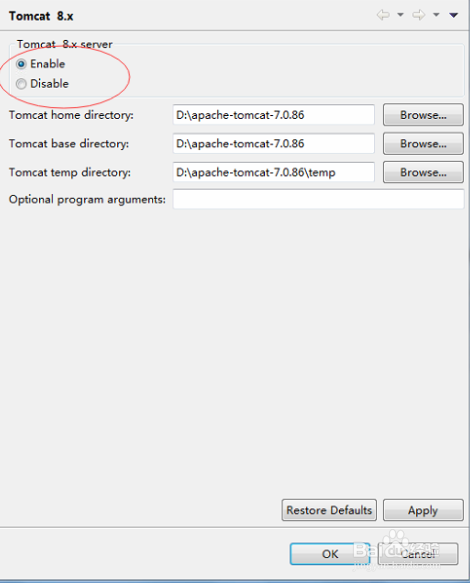
7、点下browser进到浏览文件夹窗口选择tomcat目录,然后点保存就行,如图
阅读量:139
阅读量:124
阅读量:144
阅读量:114
阅读量:131